Booking system for service businesses
Queue and appointments in the same calendar.
Walk-in queue and online booking in one view. Built for barbers, salons and massage therapists.
- Set up in one session
- No credit card
- Free during the pilot
How does it work in practice?
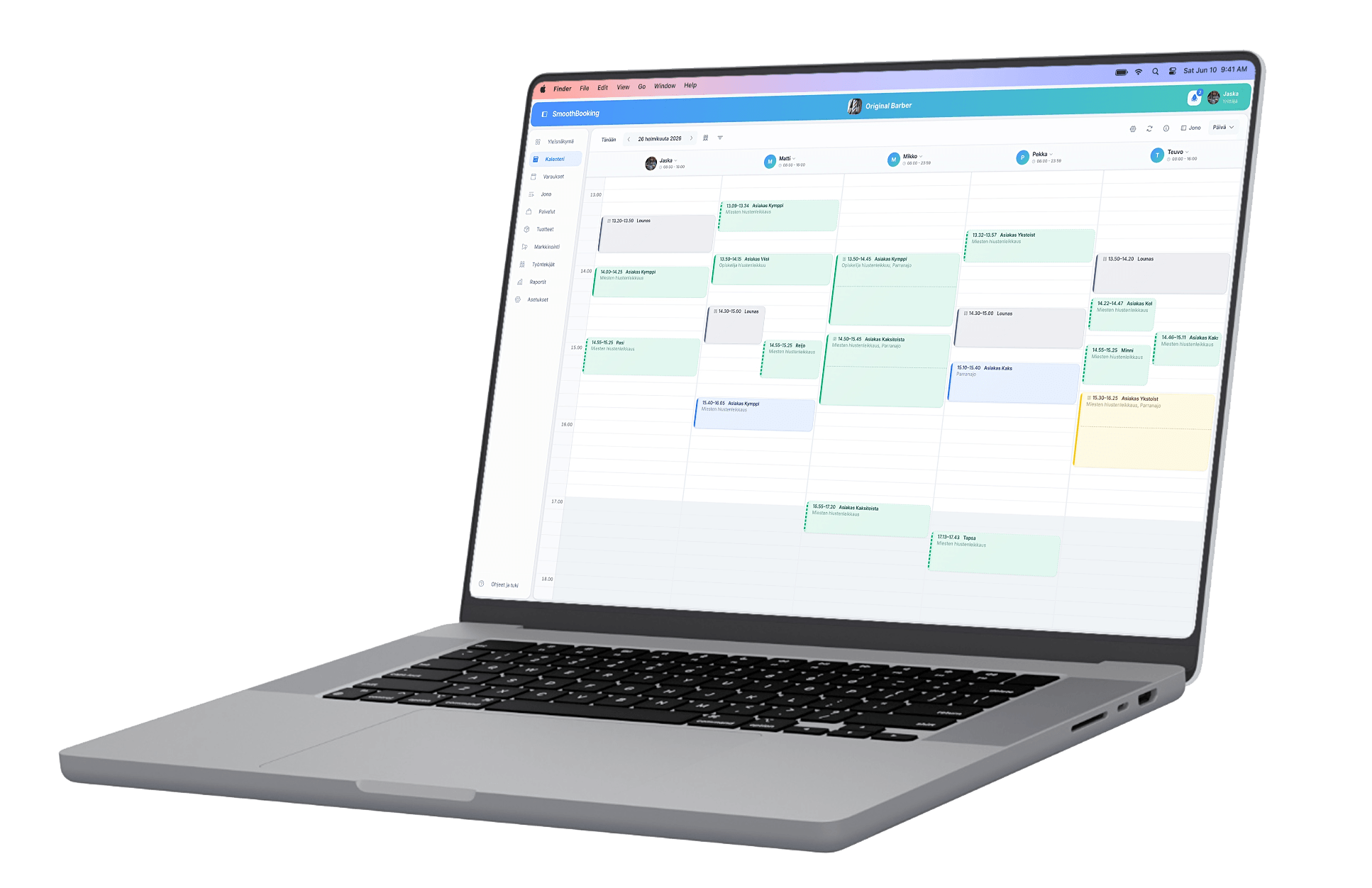
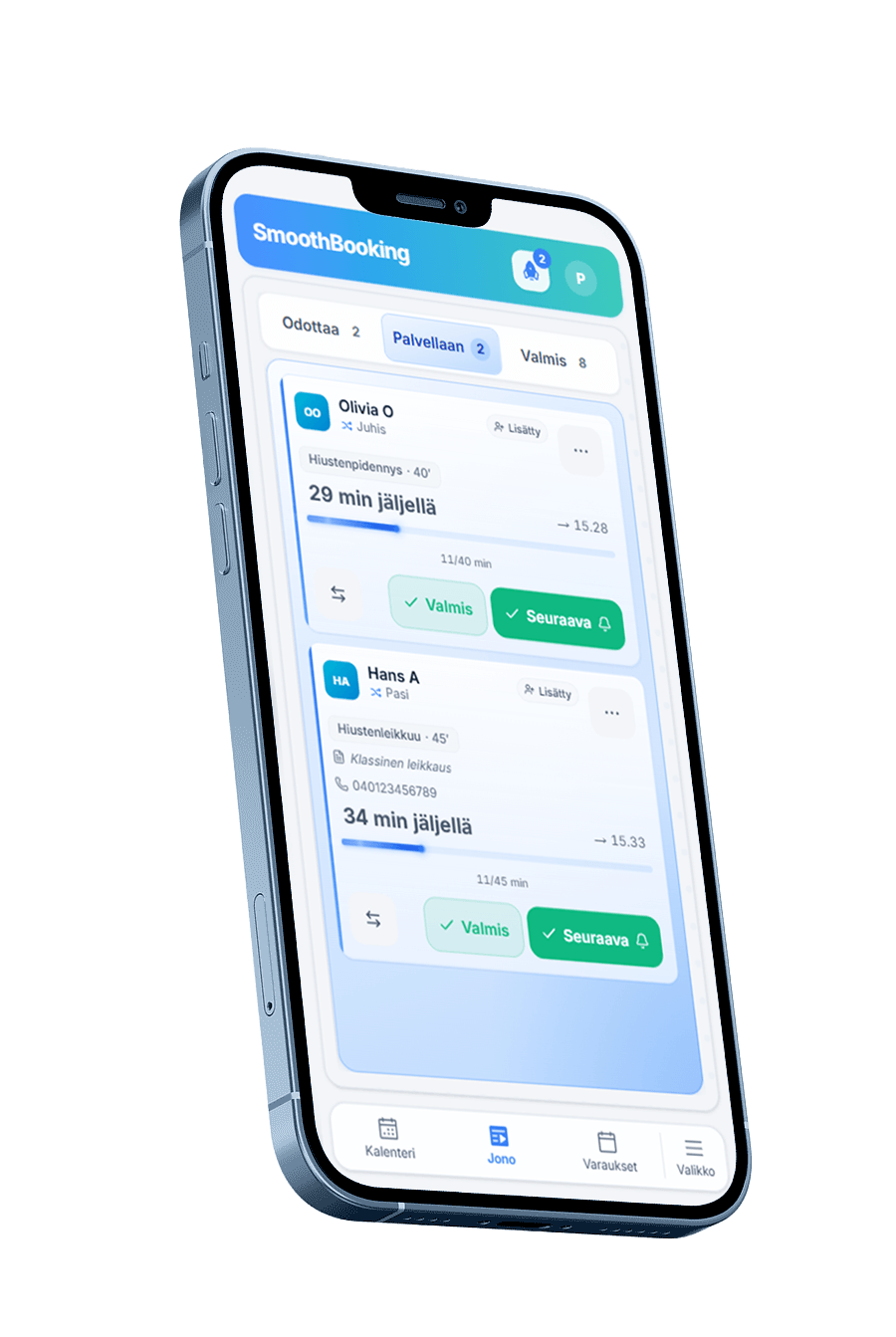
A customer walking in joins the queue from a tablet in your shop, and someone who booked online lands in the same calendar. When you call the next person from the queue, an appointment is created for them in a free slot. You look at one view, not two systems.
The customer joins the queue
They pick a service and see an estimated wait time. The kiosk runs in a browser on a tablet or a phone.
The calendar shows the day
People in the queue and online bookings sit in the same view, per employee, by day, week or month.
You call the next person
Calling moves the customer from the queue into the calendar. If you pressed it by mistake, you can undo the call for a minute.
Does this cover my day?
Five areas that a service business day is built around. All of them are included during the pilot. Open an area and we explain why it is worth using — and what it does not do.
Queue and appointments together
You serve the customers who arrive without an appointment. Everyone waiting and every booked time in one view, alongside your calendar or on its own.
- Queue board
- A kiosk for the counter
- Wait estimate on the map
Calendar and shifts
You mark the holiday once and the times close on their own. Double bookings are blocked at booking time.
- Shifts and absences
- Day, week and per-employee views
- Confirmations and reminders
Customer records and stamp card
Visits collect on the customer card without any bookkeeping, and the stamp card gives a reason to come back.
- Visit history
- Stamp card
- Customer search
Offers and marketing
Limit the discount to the hours that stay empty. A campaign sends the coupon for you, and you see how many redeemed it.
- Offer pricing
- Coupons and promo codes
- Automated campaigns
Visibility and reporting
Customers search for a service and a city, not for your name. You are found in search, you take bookings on your own site, and reports show what worked.
- Booking on your own website
- Reviews
- Reports
Can I manage this?
We set things up together, not by leaving you with a tutorial video.
- 1
Book a demo
A 30-minute online walkthrough where we go through your needs and show how SmoothBooking fits you.
- 2
Getting started together
When the pilot fits, we set up your account together: services, staff and opening hours.
- 3
Go live
Customers can book appointments and join the queue as soon as you open bookings.
You can go live the same day.
What does this cost?
During the pilot the whole product is available to you free of charge. We do not charge subscription fees or commission on your bookings.
All features
- Unlimited bookings
- Calendar and queue management
- Customer records and stamp card
- Campaigns, coupons and time-based offers
- Reviews and map visibility
- Booking widget for your own site
- Reports and export to Excel
- Staff management
SmoothBookingPilot program
Free of charge during the pilot: 0 €, VAT 0 %.
No credit cardNo automatic billingCancel anytime
Read the terms of serviceWho owns my customers?
You do. Customer records, booking history and reviews are yours, and you can export them at any time.
Read the privacy policyExport at any time
You download your whole business's data as a single file from the dashboard.
Marketing only with consent
Campaigns and coupons go only to customers who have given marketing consent, and every message carries a one-click unsubscribe.
Deletion is final
When you delete your business, the data is deleted. Only records required by law remain, such as a customer's refusal to receive requests.
What about that one thing on your mind?
Three questions that decide whether this suits you. We will go through the rest in the demo.
You can. The booking calendar works on its own without the queue view, and the queue works on its own without appointments. If you do not take walk-in customers, the system is an ordinary booking calendar, and the queue can be switched on later.
The pilot period is free of charge, and we do not ask for a credit card. There is no automatic billing, because no payment integration has been built. You can stop at any time and take your data with you. If we ever move to a paid model, we will tell you well in advance, as set out in the terms of service.
There is no automatic import tool. In practice, services, staff and opening hours are set up together during onboarding, and upcoming bookings are moved by hand. Tell us in the demo which system you are moving from, and we will go through the workload honestly before you decide.
Book a demo
30 minutes online. We look together at whether SmoothBooking suits your business, and if it does not, we will say so directly.
What happens in the demo
- We go through how your day runs now and where it gets stuck
- We show the product live, answering your questions
- We agree on the setup if the pilot suits you
What will not happen
- We will not ask for a credit card or payment details
- You are not committing to anything by attending the demo
- We will not send marketing to your customers without their consent
Security and privacy
Google Cloud platform
Google's ISO 27001 and SOC 2 certification
GDPR-compliant
EU data protection requirements
Developed in Finland
Designed for Finnish businesses